Mimer AGW
How Application Gateway Connects to Tetraflex
Using the Application Gateway gives you full control of the Tetraflex system. All the functions and operator needs are there.
When using the AGW every operator PC needs to have a dongle from Damm attached. This dongle gives access to the Application Gateway in the Tetra base station and tells how many voice streams each operator can use at the same time.
Since the dongle has a high cost, the AGW is recommended for customers with onlya few dispatchers, maybe 1-5.
Connect your Damm system
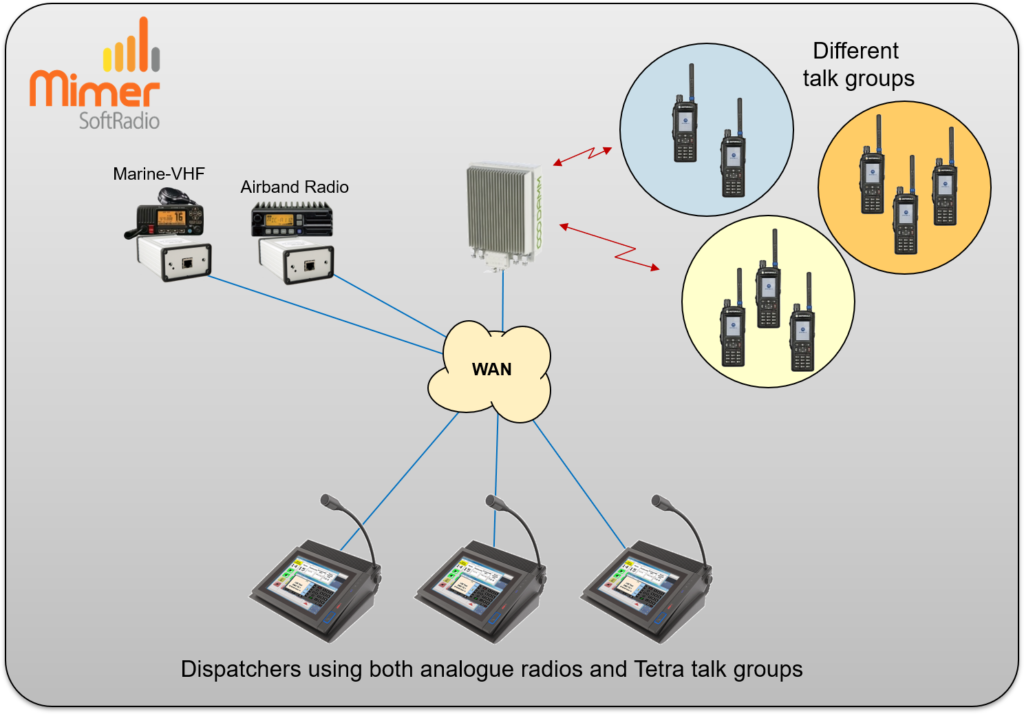
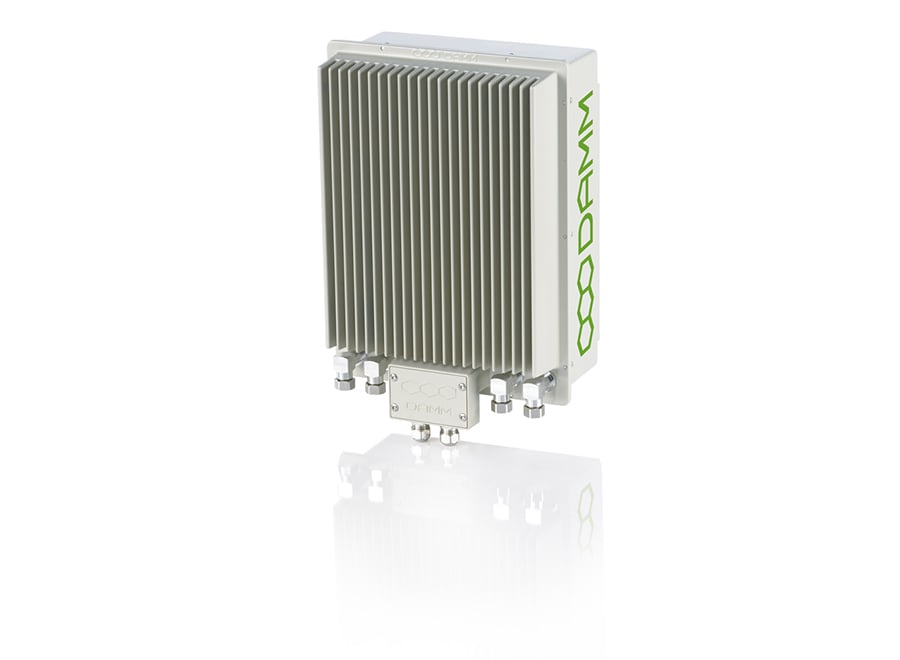
When you are connecting a radio system to a SoftRadio dispatcher you will be using interface boxes connected to donor radios that are part of the larger radio net. This is no longer needed for DAMM Tetra systems. We have created a software option that allows a SoftRadio dispatcher to connect directly to the DAMM Tetra infrastructure via a TCP/IP connection. The DAMM system appears in Mimer just like other radios do. Private calls to and from the operator as well as group calls and messages can be handled. All other Mimer SoftRadio connected devices are available simultaneously, like Airband or Marine radios as well as phones and intercoms. The DAMM private calls and talk group calls works just like any other radio calls in the SoftRadio system, so that they can be crosspatched to other groups, radios & phones.Functionality
We have tried to reflect the operators most important needs when monitoring and talking to the Tetra users.
All those functions are easily accessible, while other functions are hidden or not even implemented since they are just in the way of daily use.
TalkGroup select and listen
List of logged on users
Contacts list and calls
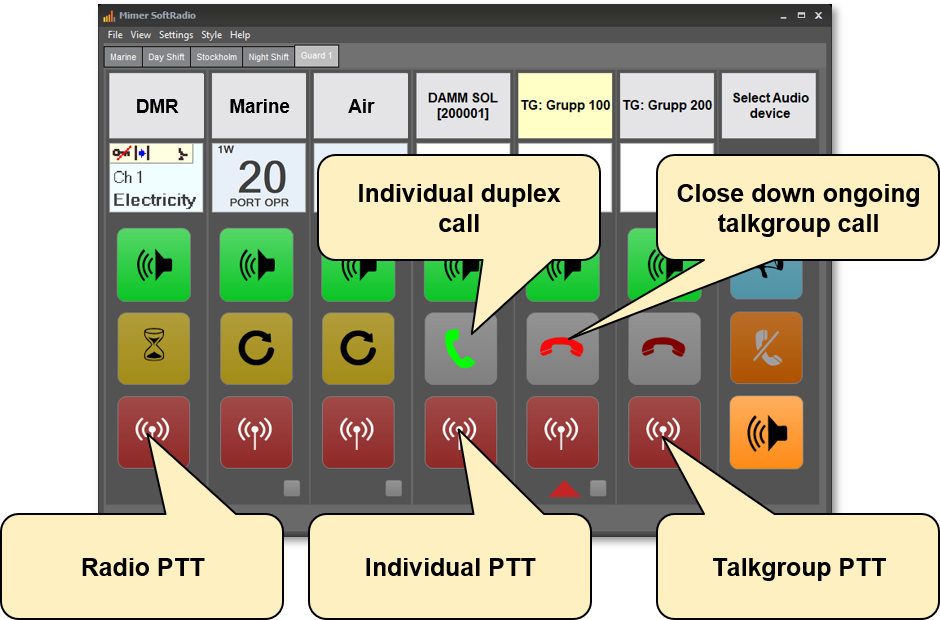
Private calls in simplex and duplex
SDS and status, send and receive
Emergency call handling
Set up of DGNA Groups
Positioning together with Mimer MapView
Operation
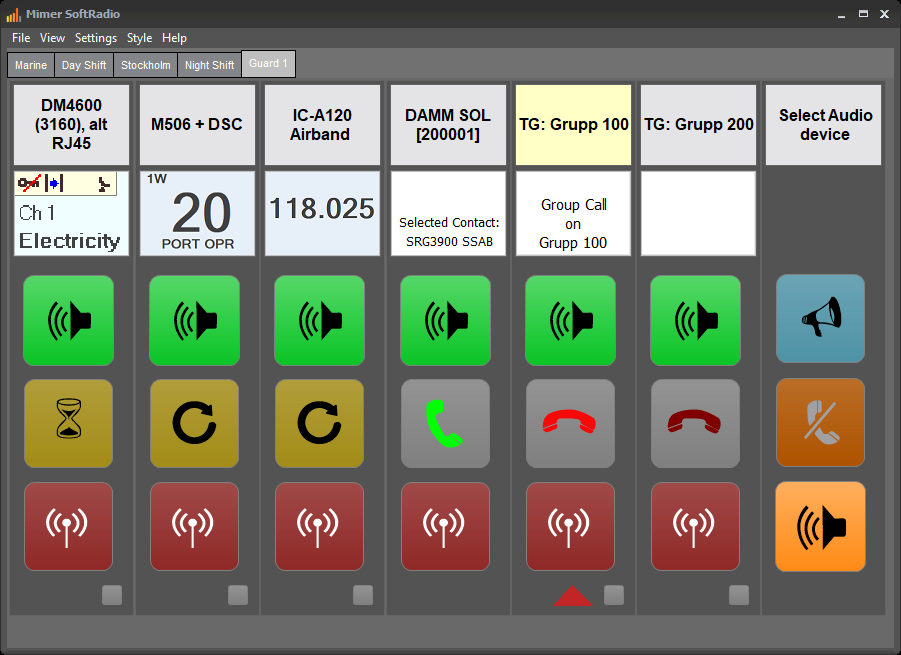
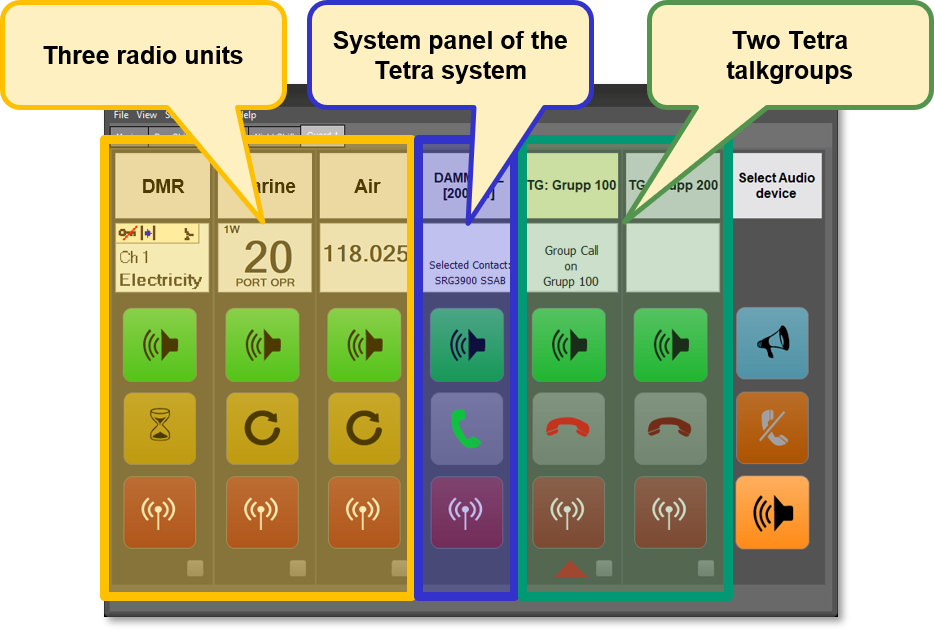
The operator will see a GUI that looks and behaves very much like standard SoftRadio does for other radio types. Each connected Talk group will be represented with a device panel that lets the operator make calls and answer calls.
All groups can be monitored in parallel and at the same time as other radio communication. When there are settings to do, or a message to send, device windows, much like the virtual control heads for radios, can be opened.
Voice Streams
In a Damm-system there is a cost for each voice stream used by the operator. If you have ordered to few voice streams, this could be a problem and you miss calls.
When using SoftRadio to Damm, to be sure that an emergency call is never missed, an incomming emergency will kill another call if there are no available voice streams, ensuring that the emergency gets through.
INTERFACE
Screenshots
Standard GUI
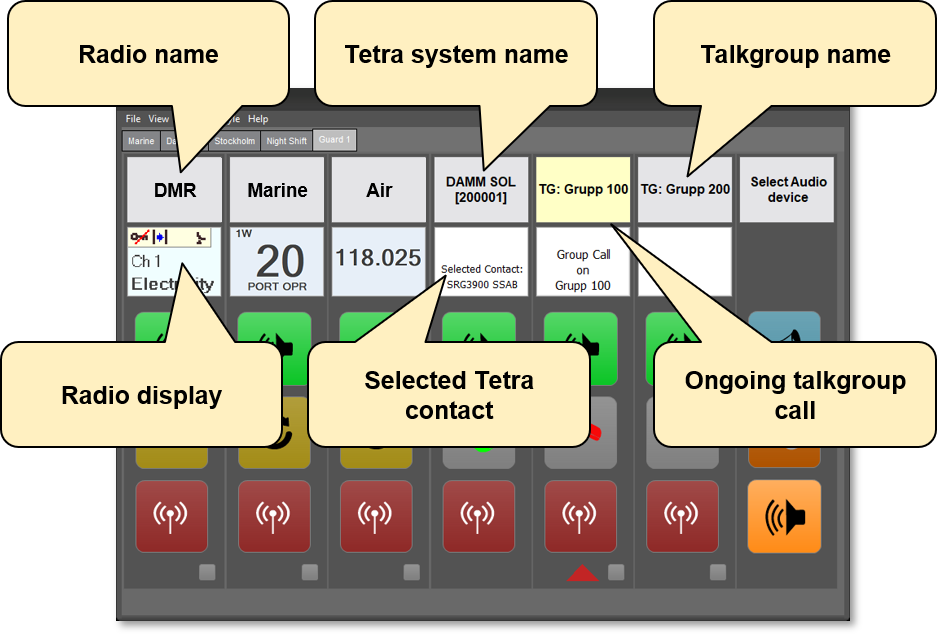
In the standard GUI for SoftRadio you will see one device panel for each attached talk group and one device panel for the system itself.
In this example also one DMR radio, one marine radio and one airband radio are connected to the same GUI.
System Device Panel
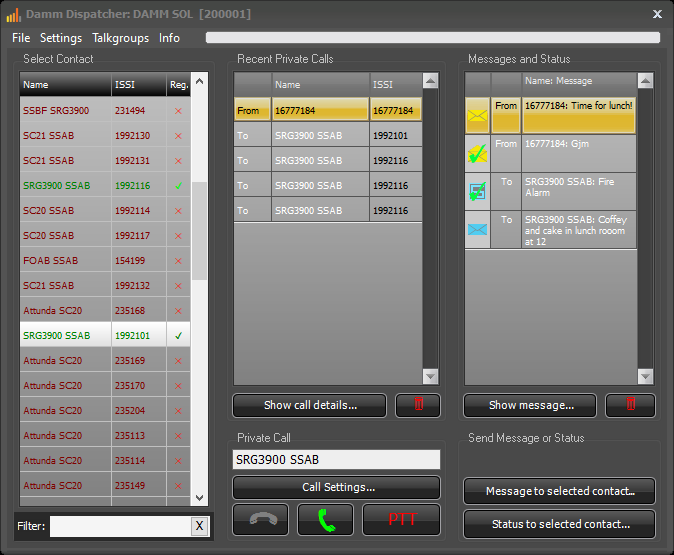
Opening the window of the systems device panel shows a list of attached radios, a history list of calls and a history list of SDS and status messages.
Here you also choose radios for private calls and for messages.
TalkGroup Selection
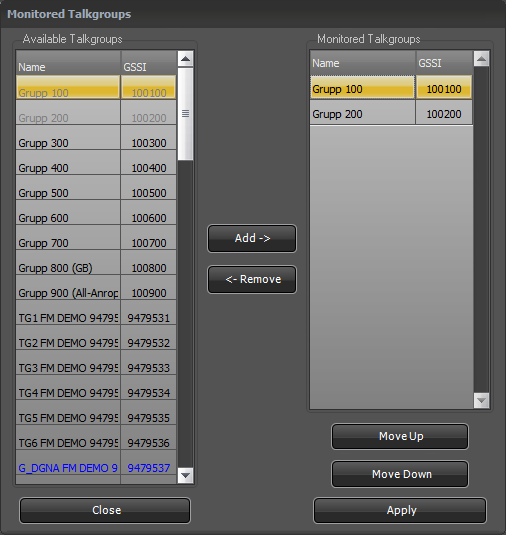
Each operator can choose which talk groups to monitor through an easy to use graphic interface.
SDS Message Reports
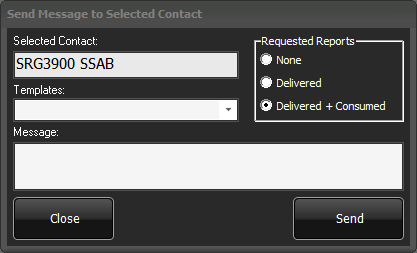
When sending an SDS message, the operator can choose different levels of reports on the message. In the history list this will be reflected by different icons depending on the message status.
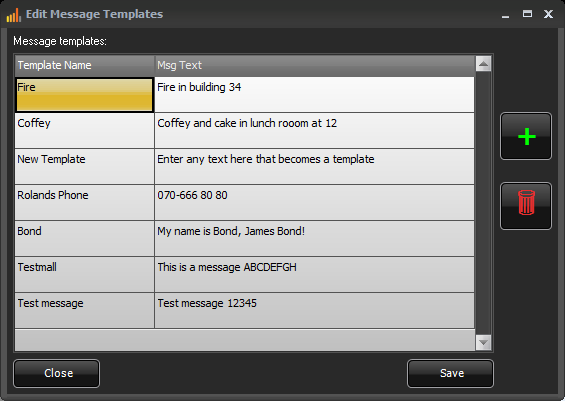
Message Templates
Templates can be set up for messages that are sent often.
Call Priorities & Emergency
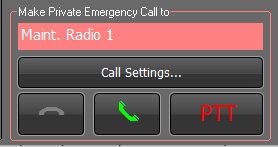
Both incoming and outgoing calls can have different priorities whith emergency as the highest.
This will be reflected with a pink colour and incoming emergency calls will get an audible signal so that the operators does not miss the call.
ARCHITECTURE
System Examples
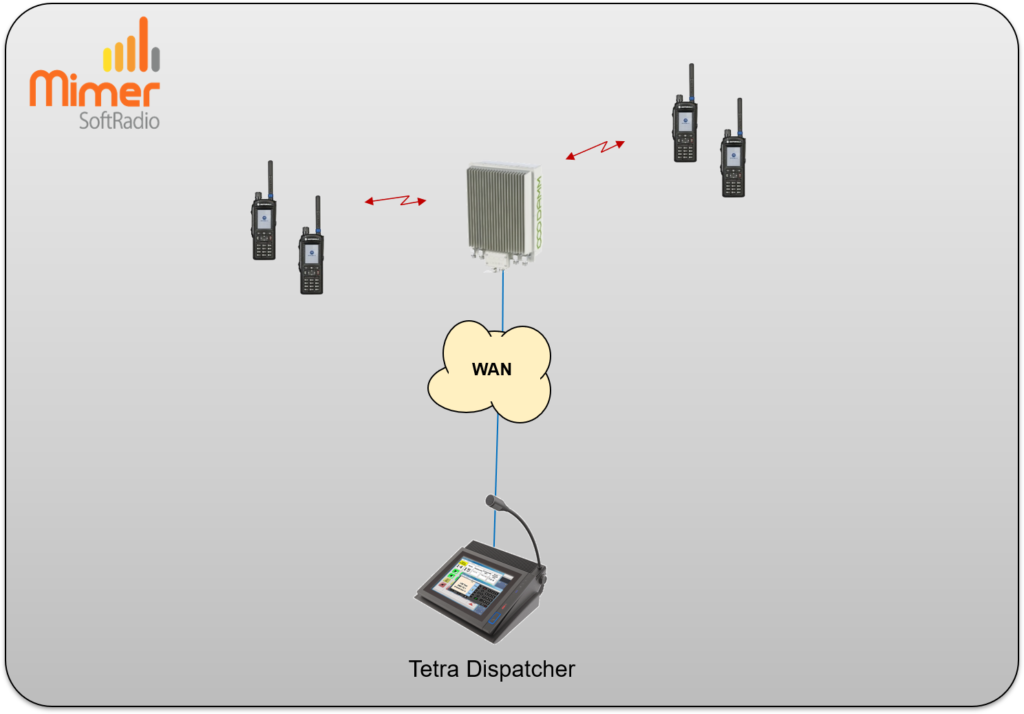
Single Dispatcher Setup
Multi-Dispatcher with Radios
INTERFACE DETAILS
The SoftRadio GUI
Radios & TalkGroups
Name Labels & Info
Name labels and information
Function Keys