
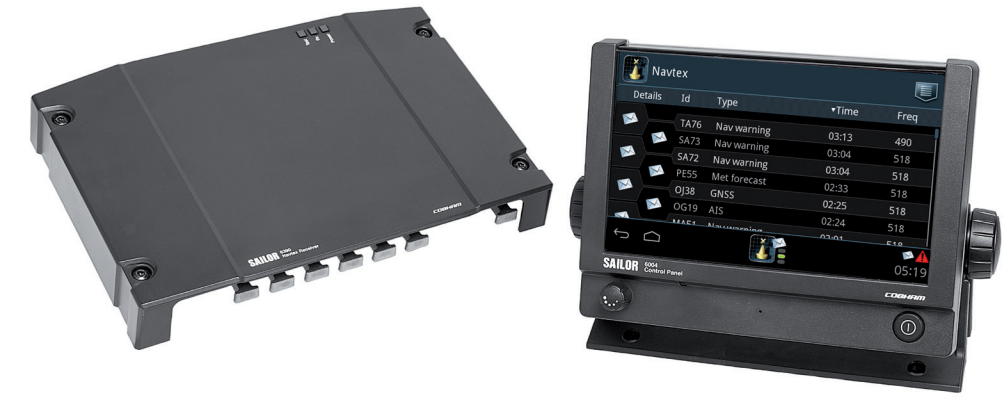
One or many SoftRadio operators can monitor one or more Navtex units. All messages will be listed and can be read in the same way as from the units front panel.
Messages are marked with an open or closed envelope, depending on read or unread. Urgent messages and alarms are marked and also audio signalled when applicable.
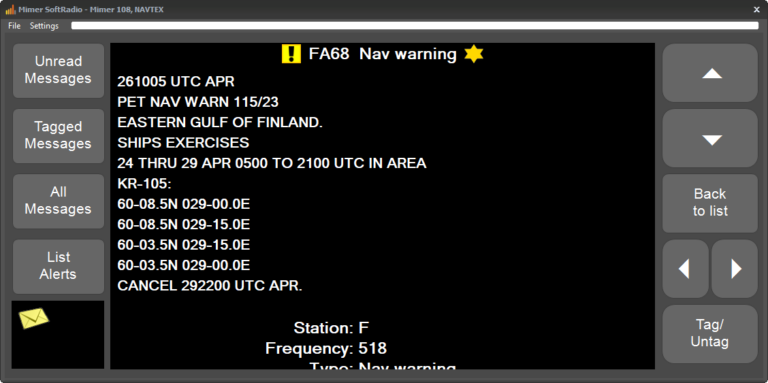
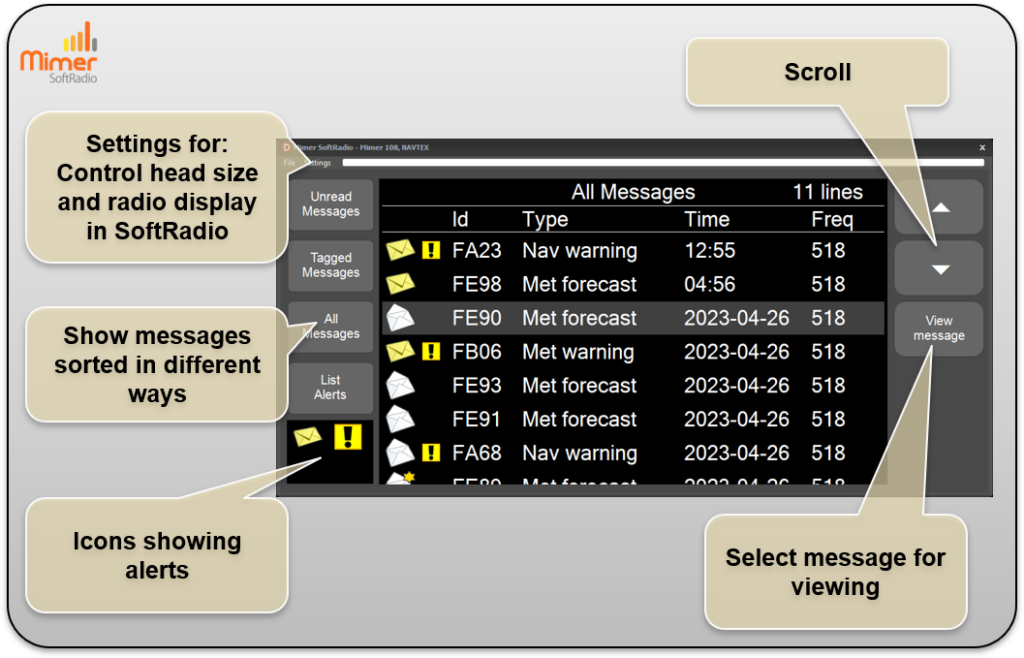
The NAVTEX interface provides clear and efficient access to received messages directly within SoftRadio. Messages are displayed in a structured list, allowing the operator to quickly review message ID, type, time, and frequency. Icons are used to clearly indicate alerts and important messages, making critical information easy to identify at a glance.
Messages can be sorted and filtered in different ways, such as unread, tagged, or all messages, helping the operator focus on relevant information. Scrolling controls allow smooth navigation through longer message lists, and individual messages can be selected for detailed viewing. Through the settings menu, the operator can adjust the control head size and configure how the radio display is presented in SoftRadio, ensuring optimal usability in different operating environments.
System Examples:
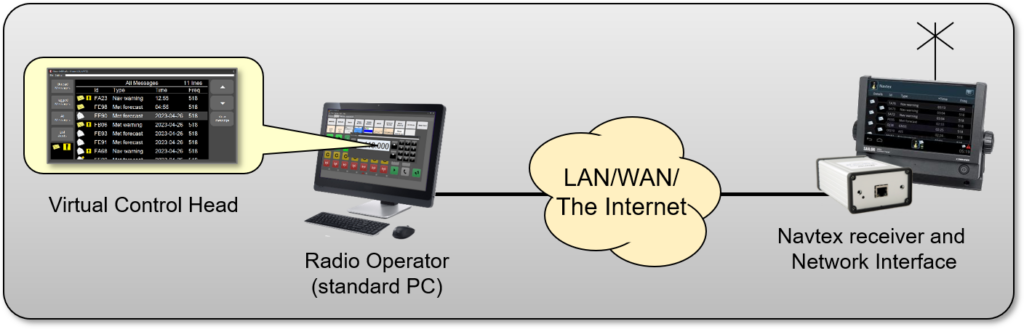
One Navtex remote controlled.
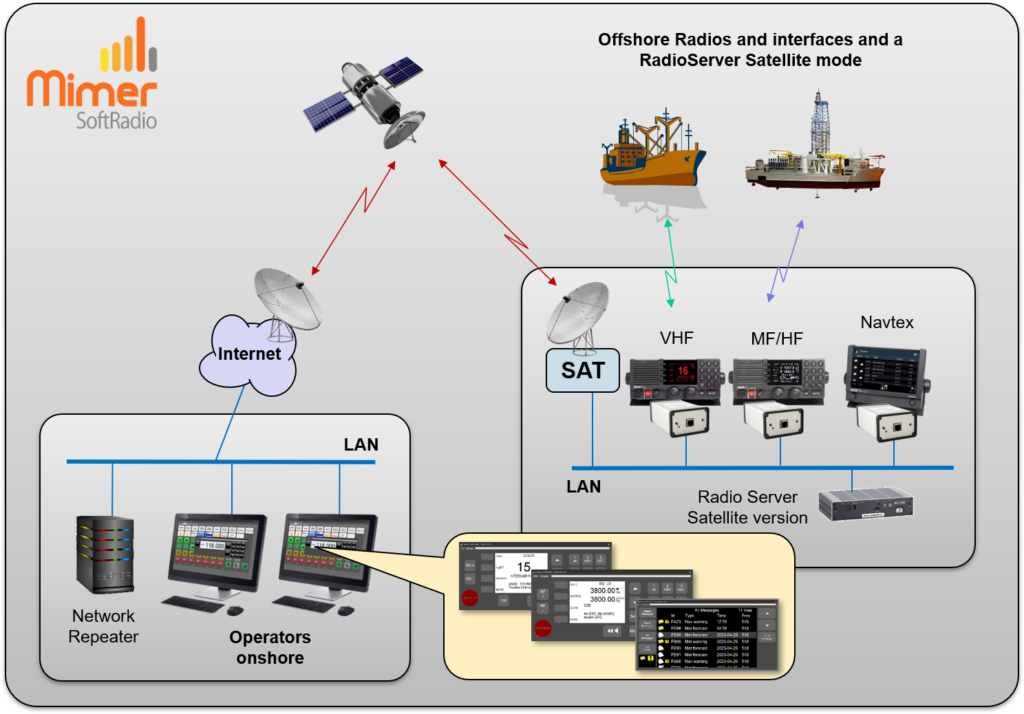
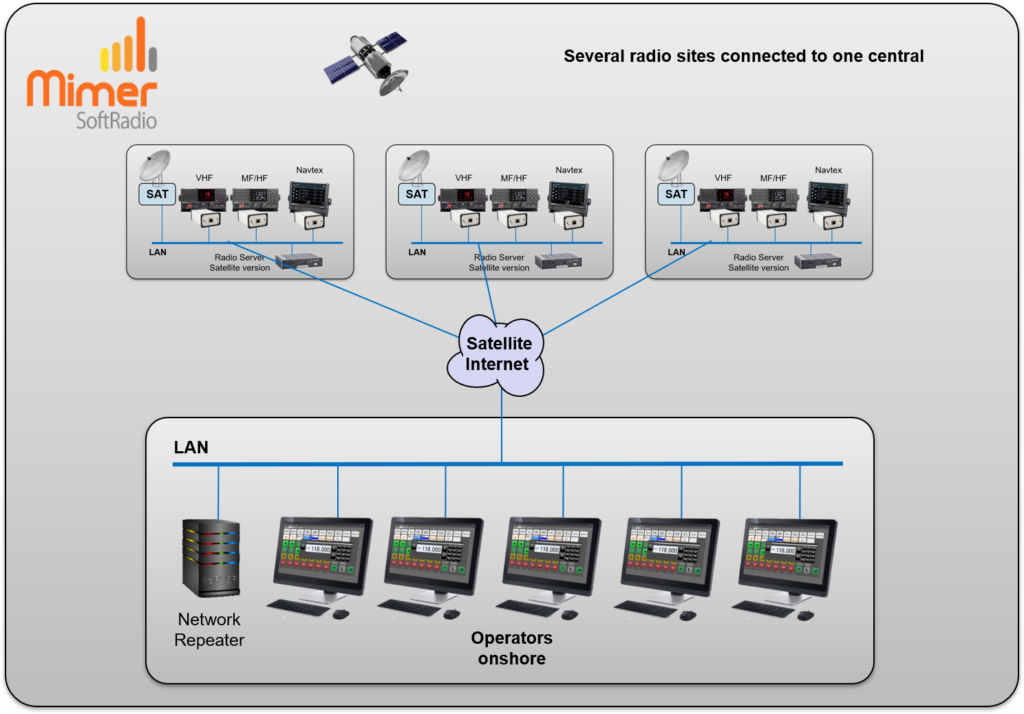
Several radio sites connected to one operator site.