Connection Of Phones
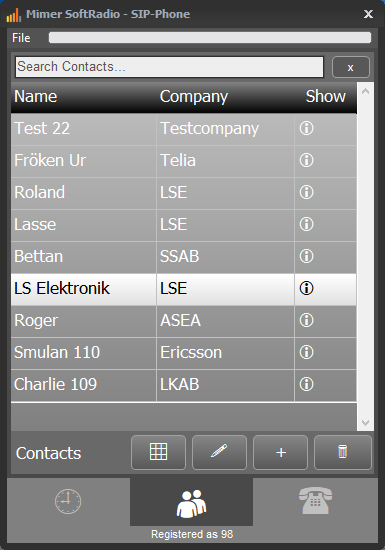
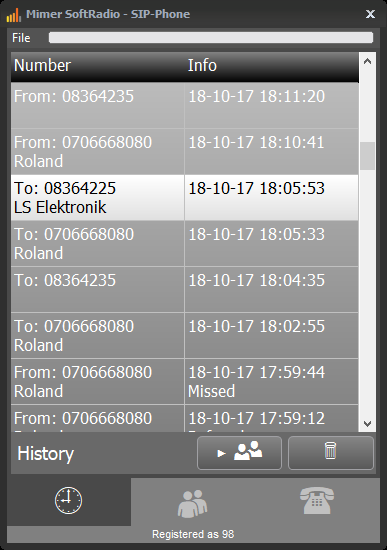
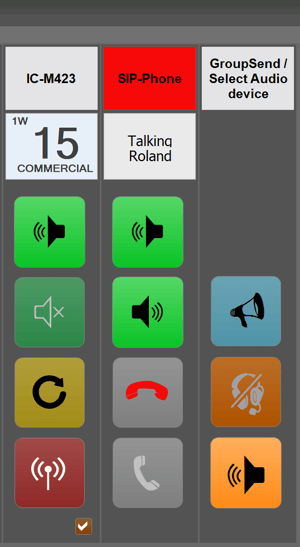
When one or more phones are connected in the system the layout of the device panel will be slightly changed from the standard radio layout. Instead of pushing “send” you will click a handset symbol and doing so open a number pad, from there you can reach a contact list and a call history list.
In digital (SIP) systems each operator gets his own phone connection and can be called on his own phone number.
When using a Cellular connection (4G) usually one, or more, connections are shared between the operators. Calls can be made, received and put on hold for other operators to take over.
With the option Mimer CrossPatch, phone calls and radio calls can be patched together by the operator. Read more here.
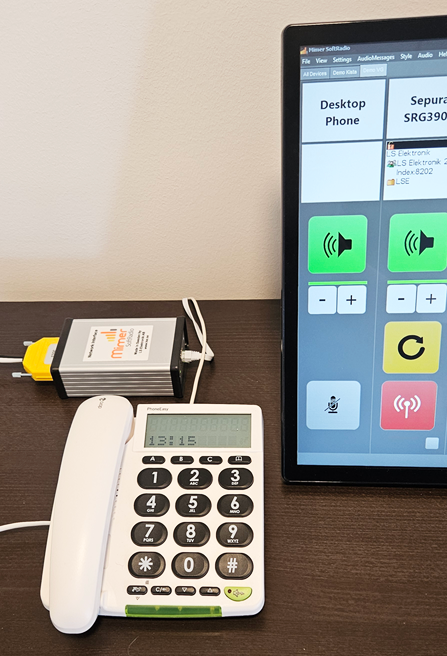
Connecting a Desktop Phone to SoftRadio
In some cases only the special desk phone that is installed at the dispatcher can be used. This can be depending on a PABX that is not standard, or it can depend on certain functionality that the dispatcher needs, that are only available on the desk phone unit. This makes it troublesome to use the same headset for both phone and for radio (through SoftRadio).
For this reason we have made a network interface that connects to the audio of the desk phone and connects it to SoftRadio as any other device (radio, phone etc). Meaning that the dispatcher can use the same headset or handset as is used for the other devices, also for the desk phone.
When installed, all making and answering of calls will be made as before on the desktop phone. But the audio will pass through SoftRadio. On SoftRadio it is possible to select audio accessories, set the volume, mute the microphone etc.
SIP Connect
Connection to IP-Phone switches with SIP-protocol are made through the LAN. No extra hardware is needed.
A software option is needed in the SoftRadio dispatcher software. This will act as a SIP client in the same manor as other software based phone clients.
Each operator gets two connections to the SIP exchange so that one call can be put on hold when another comes in.
Depending on the programming of the SIP-exchange the connection can be individual or group based.
Multi SIP Connect
With the larger SIP option, up to 10 separate connections to SIP exchanges can be made.
A brochure is available on the download page.
Cellular Phone
A Network Interface is connected to a GSM/3G module with a standard SIM card.
Your SoftRadio software will handle incoming and outgoing calls just like it does for an analogue phone.
There is no SMS function available.
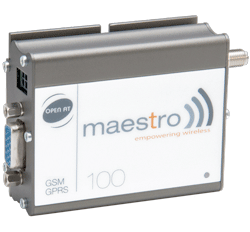
GSM/3G-modem used in cellular systems
2G & 3G-systems are discontinued in most countries, therefor there are no modems to purchase any more. There might be some left, so please ask if needed.
Analogue Phone
Connection of the actual phone line is made through a Network
Interface. It connects to a standard two wire, DTMF phone line (POTS).
Your SoftRadio software will handle incoming and outgoing calls just like any standard analogue phone.
Also Satellite phones with POTS connection can be used.
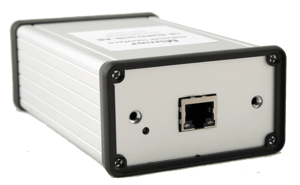
Network Interface for POTS connection
The demand for POTS interfaces are so low today that we have stopped to produce the interfaces. There might be some left, so please ask if needed.
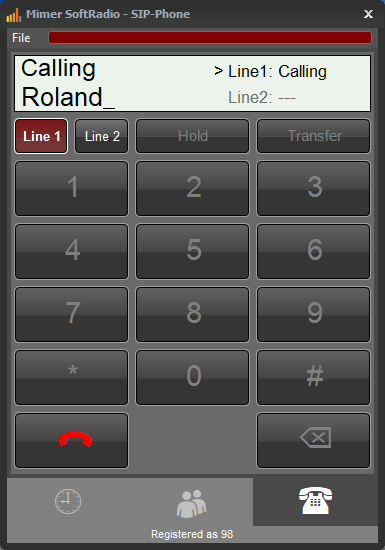
Number pad used for phone calls