
You get access to changing the radios channel and zone remotely. If you run the mobile radio in IDAS mode, the ID number of the transmitting radio will be shown on the display. (Only ID number, not the alias)
The radio itself can simoultaneusly, with the remote control, be used as a standard radio with its control head, microphone and speaker.
More functions will most likely be implemented at a later stage.
There is also a smaller version that only remote controls the audio and the PTT, no channel change. Then you use the Network Interface LE, 3130.
Network Interface: Suitable Network Interface is 3009/48 with cable kit 3243.
Channel Name Setup
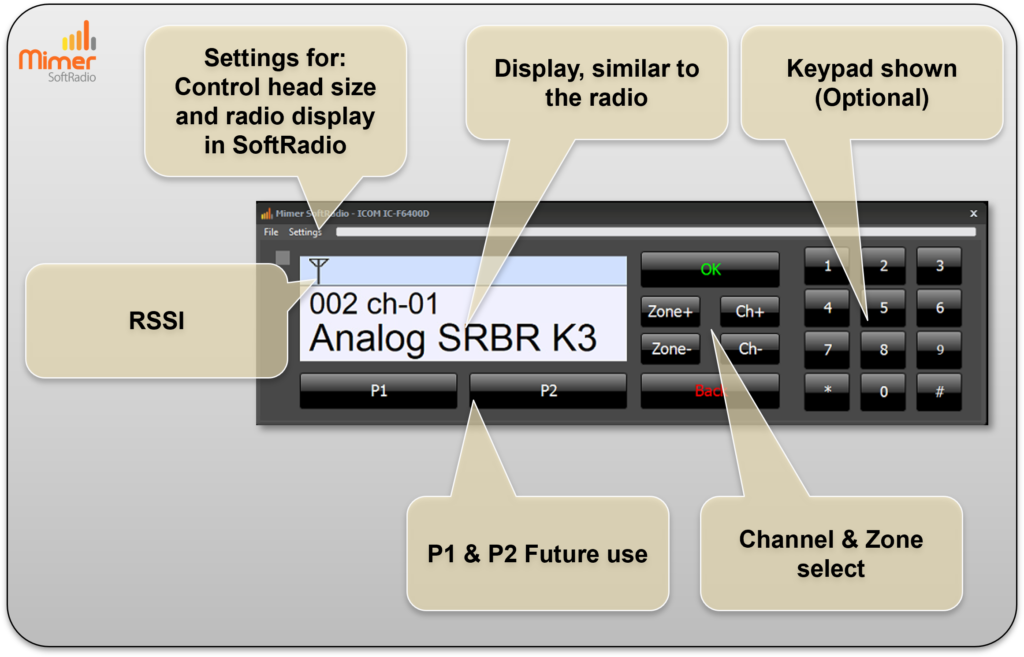
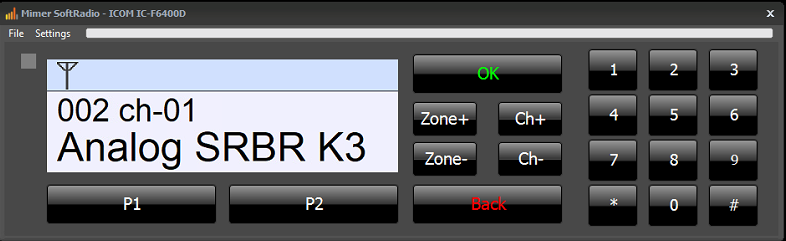
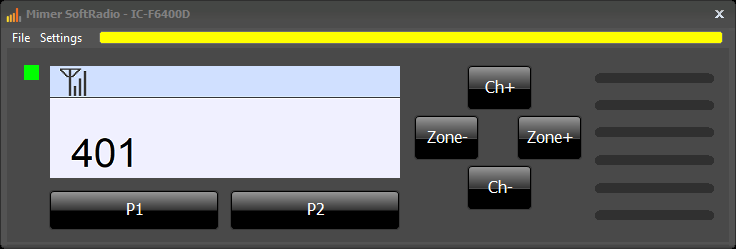
The Virtual Control Head (VCH) for the F5400-series integrates the radio into the SoftRadio environment, providing access to essential radio functions through a familiar on-screen interface. The display is designed to closely resemble the radio’s own display, making it easy to identify channel information, operating mode, and current status.
RSSI (signal strength) is clearly shown, giving operators immediate feedback on reception quality. The VCH supports direct channel and zone selection, allowing fast and efficient navigation during operation. An optional on-screen keypad can be enabled for scenarios where numeric input is required.
The interface also includes settings for control head size and radio display, allowing the layout to be adapted to different screens and operator preferences. P1 and P2 keys are available for future use, providing flexibility for upcoming functions or customer-specific configurations. By mirroring the radio’s look and workflow within SoftRadio.
Channel Name Setup
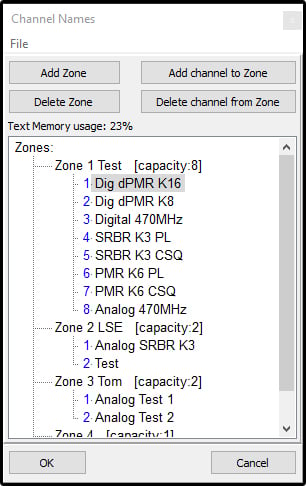
The radio does not report the channel names, only a technical number, to external devices. For this reason it is important to make a list of channel names and zones and save it in the interface.
The list needs to be an exact copy of the list in the radio. If the programming of a channel is changed in the radio, it also needs to be changed in the interface.
When all is correct the Virtual Control Head will show the name of the channel.
Supported Radio Models:
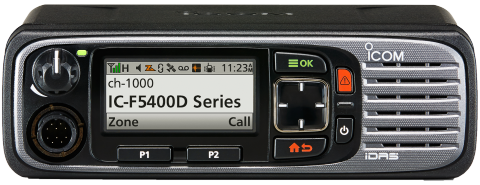
Icom IC-5400/6400
System Examples:
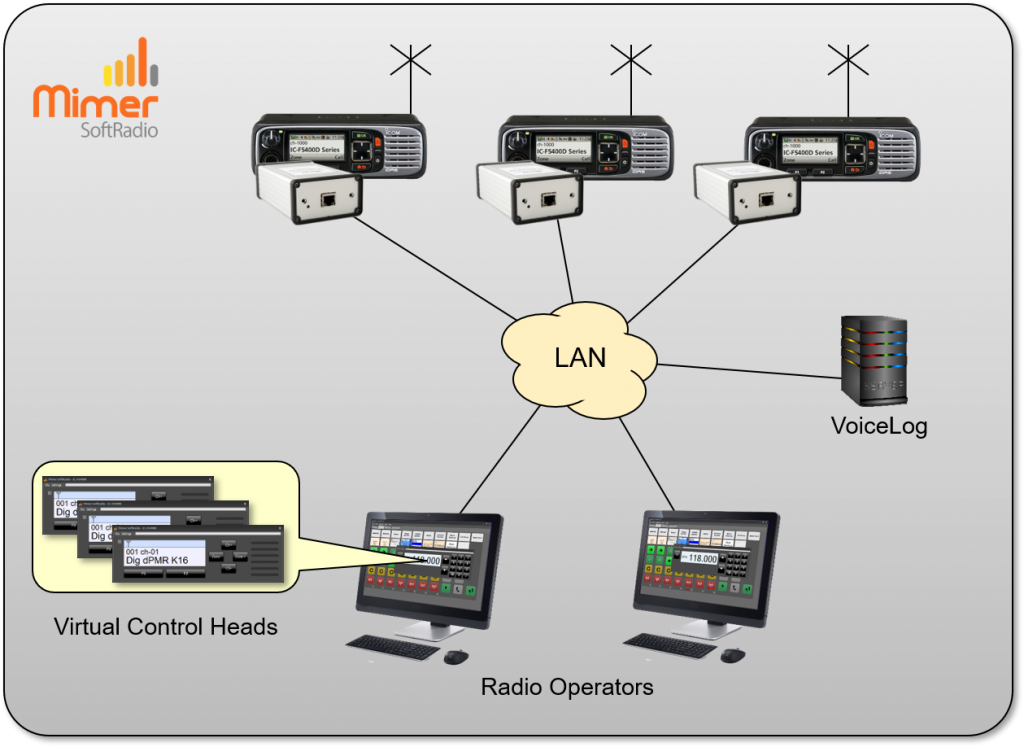
Two operators remote controlling three radios, voice recording of all calls.
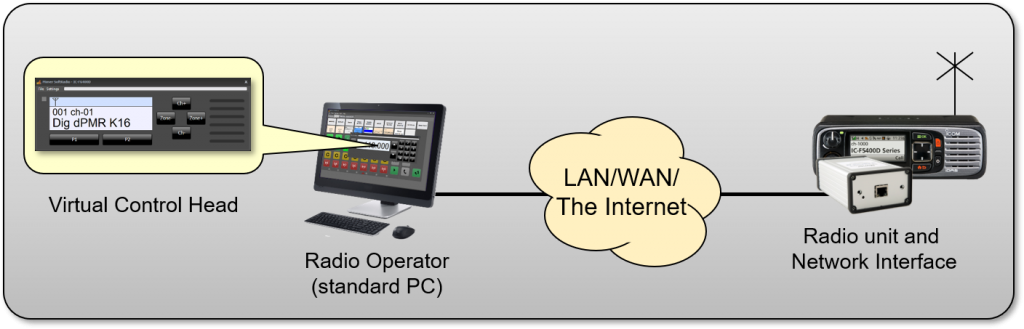
One radio remote controlled from one operator PC.