
You get access to changing the radios channel and zone remotely. There is a virtual keypad on the control head and you can use the PC keyboard.
Please note that the radios built in short list of stored memory channels is not accessible. (The radio unit has no external commands to handle them)
Also the receiver squelch level can be set from the Virtual Control Head.
Connection to the radio is made both from the front microphone connector and from the rear speaker connector. Therefor the radio cannot be used local when it is connected to the remote interface.
No special programming is needed in the radio.
If you do not need the ability to change channel or set the squelch, you can use the simpler solution described on this page. (Same as for IC-A110)
Network Interface: Suitable Network Interface is 3009/42 with cable kit 3166/02.

VCH for the IC-A120
The Virtual Control Head (VCH) for the IC-A120 integrates the radio into the SoftRadio system, providing access to the radio’s essential functions through a clear and familiar on-screen interface. The display is designed to resemble the radio’s native layout, allowing operators to easily read frequency, channel, squelch level, and operational status.
The VCH includes a dedicated display area for channel, squelch, and related parameters, giving immediate visibility into current radio settings. Operators can adjust squelch levels directly, including quick access to the squelch configuration menu for fine tuning. Channel or squelch up/down controls enable fast adjustments during operation.
For efficient operation, the VCH offers a numeric keyboard for rapid channel or frequency entry, reducing the need for step-by-step navigation. Optional memory keys can be enabled to allow quick selection of predefined channels.
The interface also provides settings for control head size and radio display, allowing the layout to be adapted to different screen sizes and operator preferences.
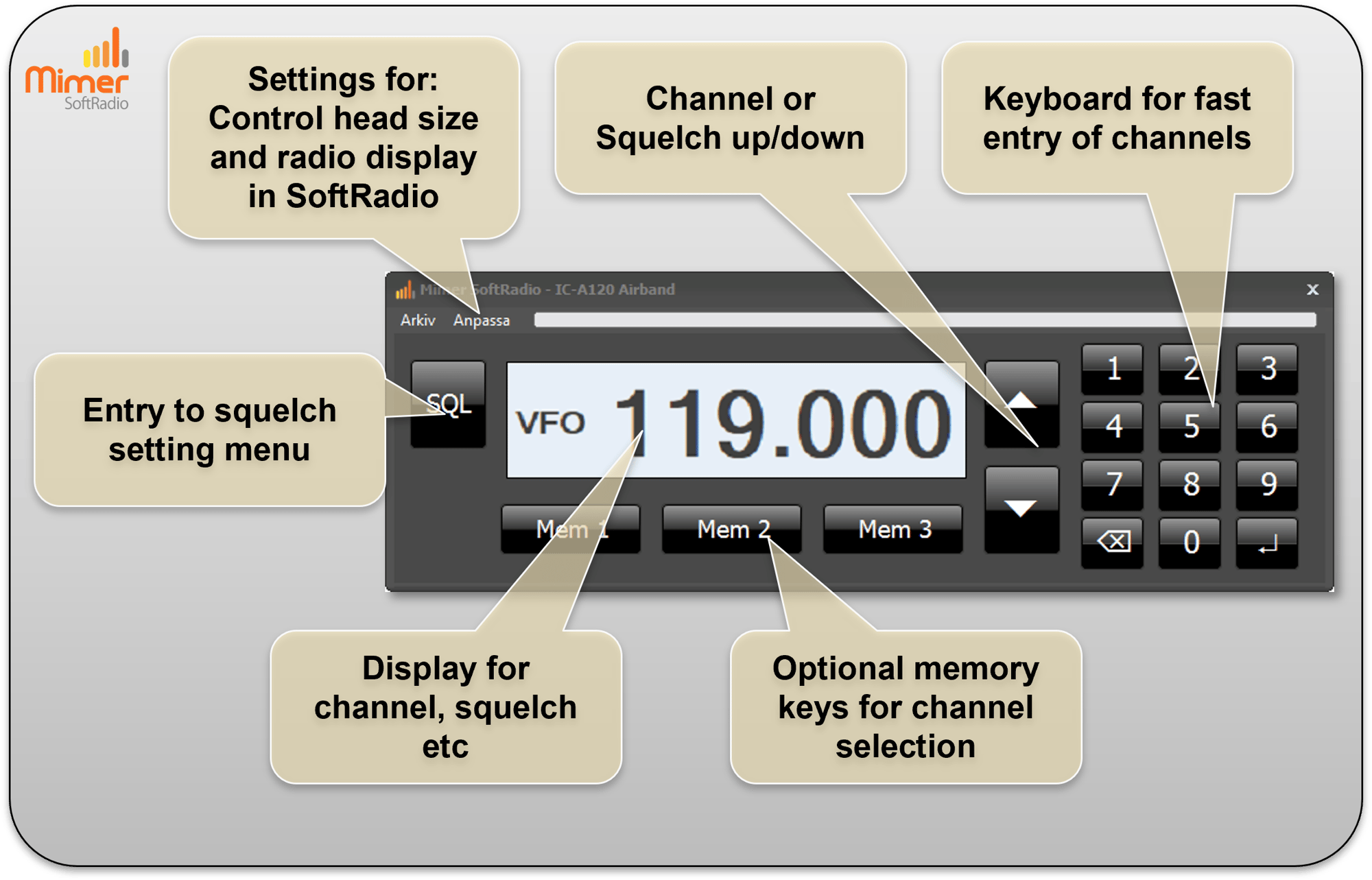
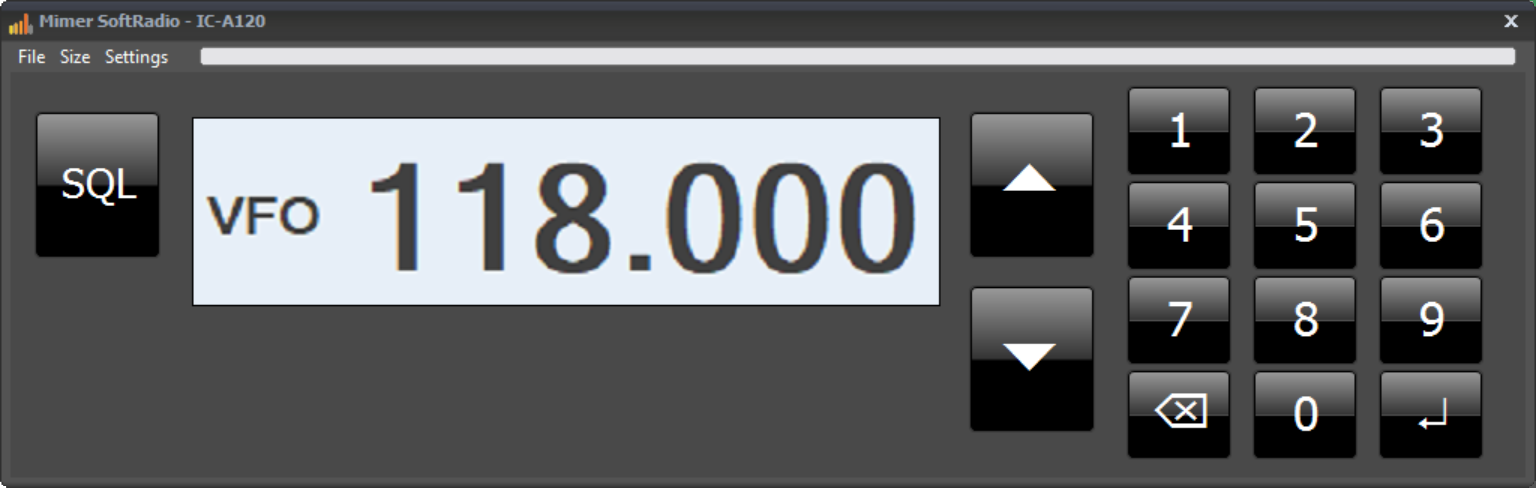
Virtual Control Head for IC-A120
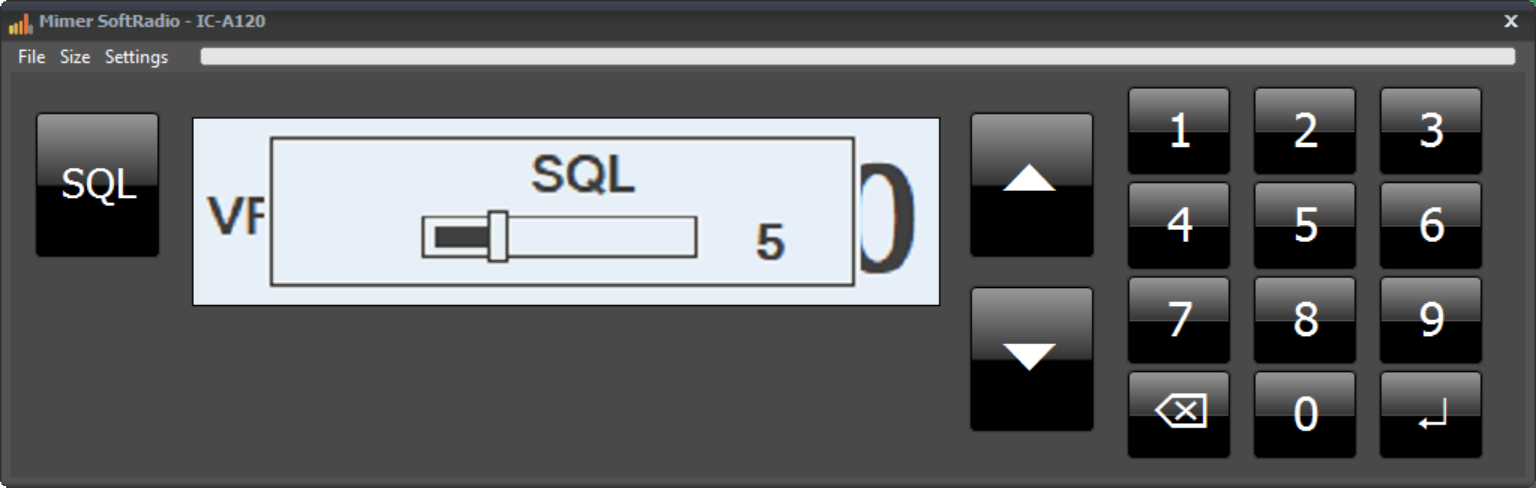
Squelch setting in progress
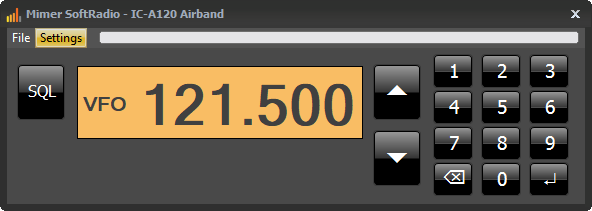
Alternative setting with orange background
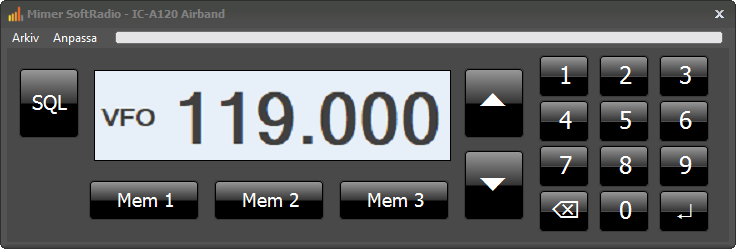
Virtual control head with memory keys activated
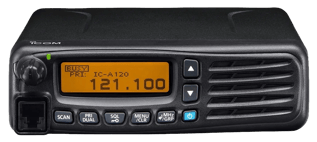
IC-A120
IC-A120E
System Examples:
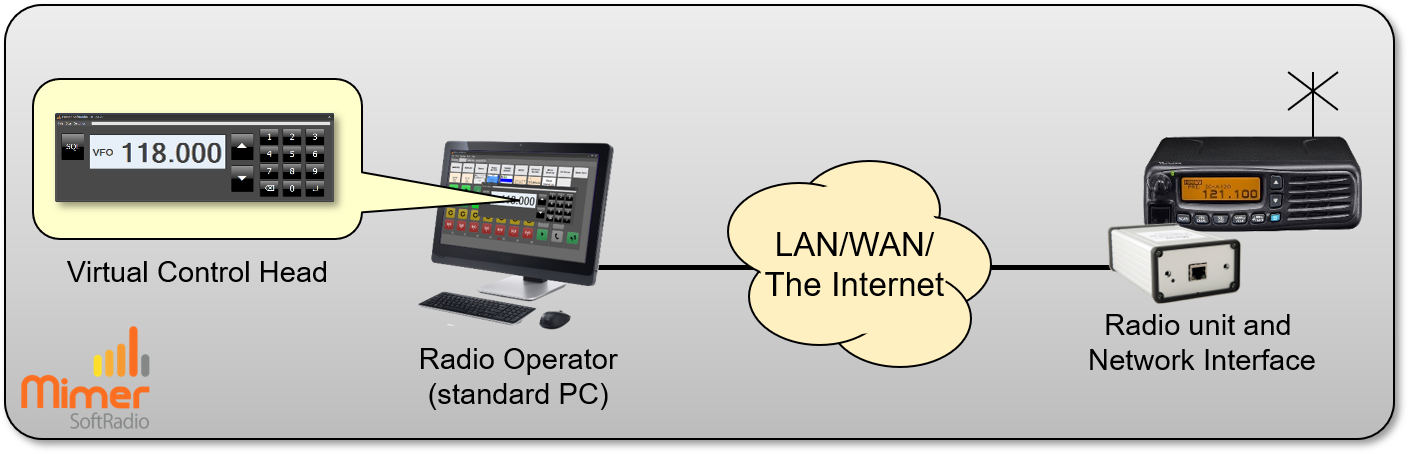
One airband radio remote controlled from one operator PC.
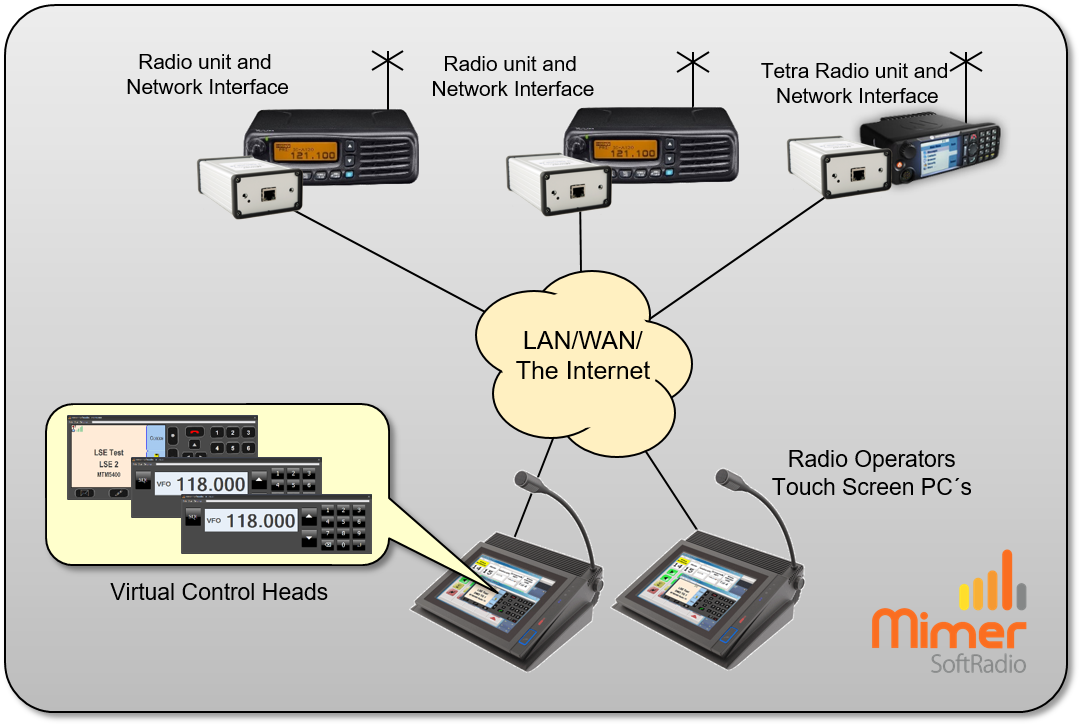
Two airband radios and one Tetra radio remote controlled from two operator PC´s.
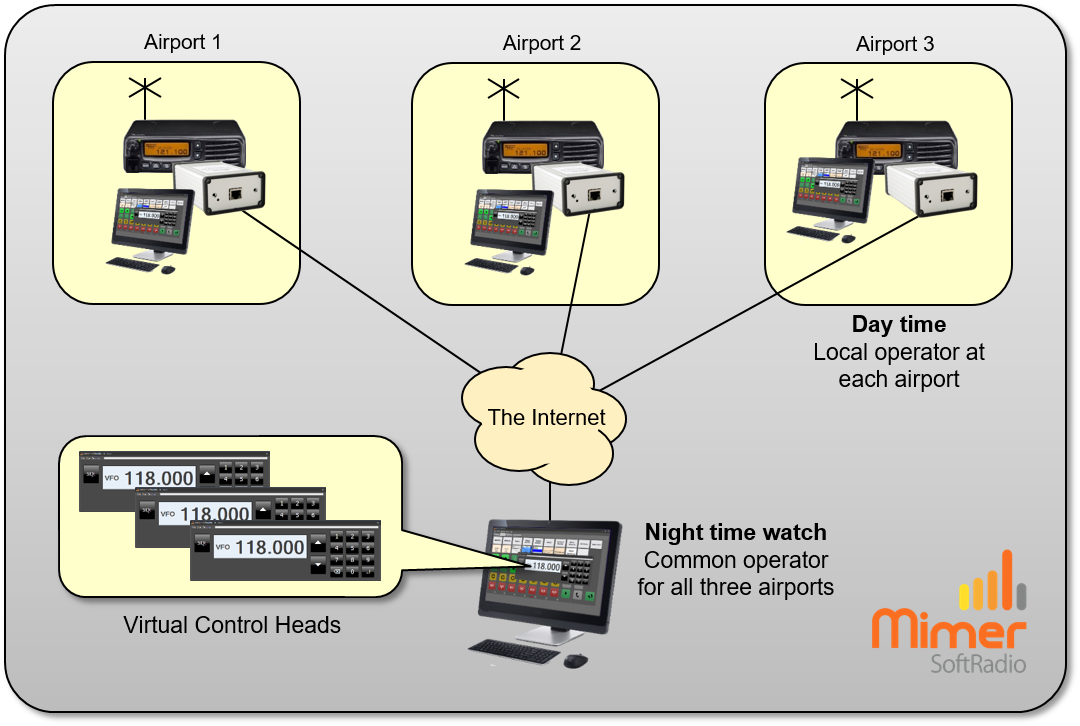
Three airports with local radios and local dispatchers. One common dispatcher for all airports working in parallel. Useful for example when taking over the radio traffic at night.