<img src="https://www.inventive-7-intuition.com/807131.png" style="display:none;">

Sailor 7222 – Marine Radio with VoIP

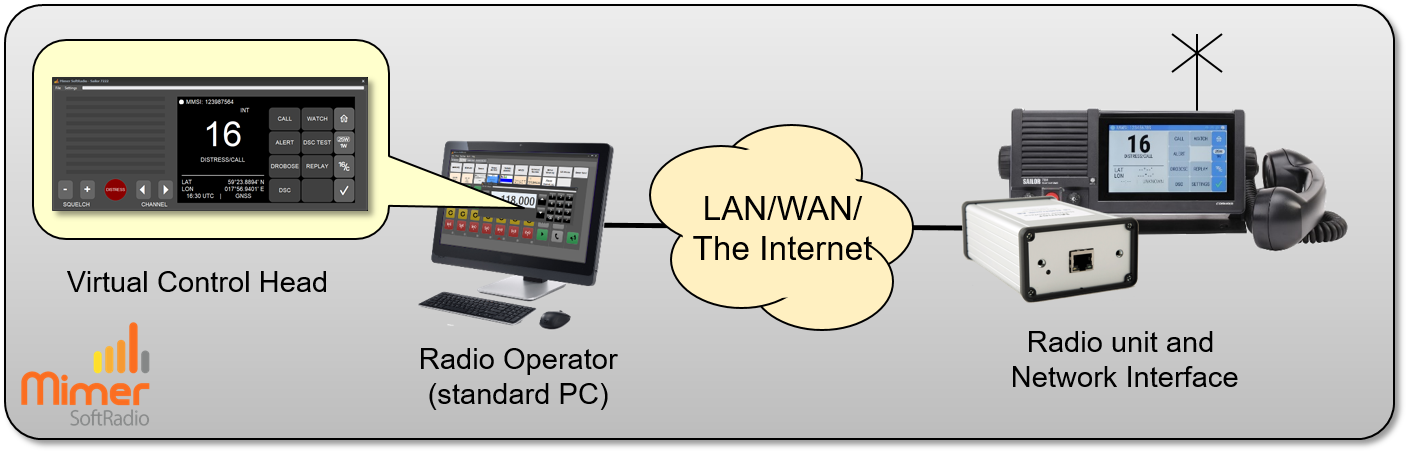
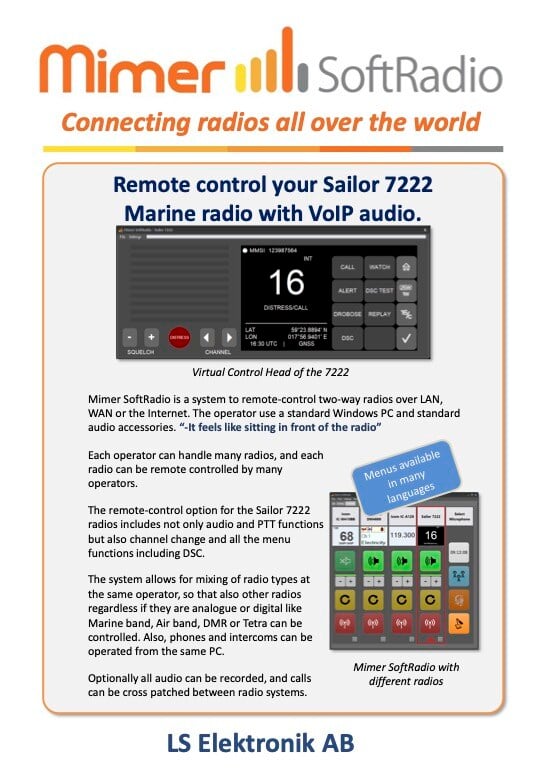
With Mimer SoftRadio, you can fully remote control the Sailor 7222 marine radio from virtually anywhere in the world using an Internet or IP connection.

Our system allows multiple operators to share control of a single radio while also enabling each operator to manage multiple radios seamlessly

All the important radio functions, are remote controlled

COMPLETE REMOTE CONTROL

The Sailor 7222 has a full remote control with all functions. This means that the remote operator uses the radio just as if he/she was sitting in front of the radio.

All functions with channel change, dual watch, squelch etc. as well as DSC signalling is avialable. If you are used to working with the radio, it is just as easy to do it remotely from a standard PC or touch screen.

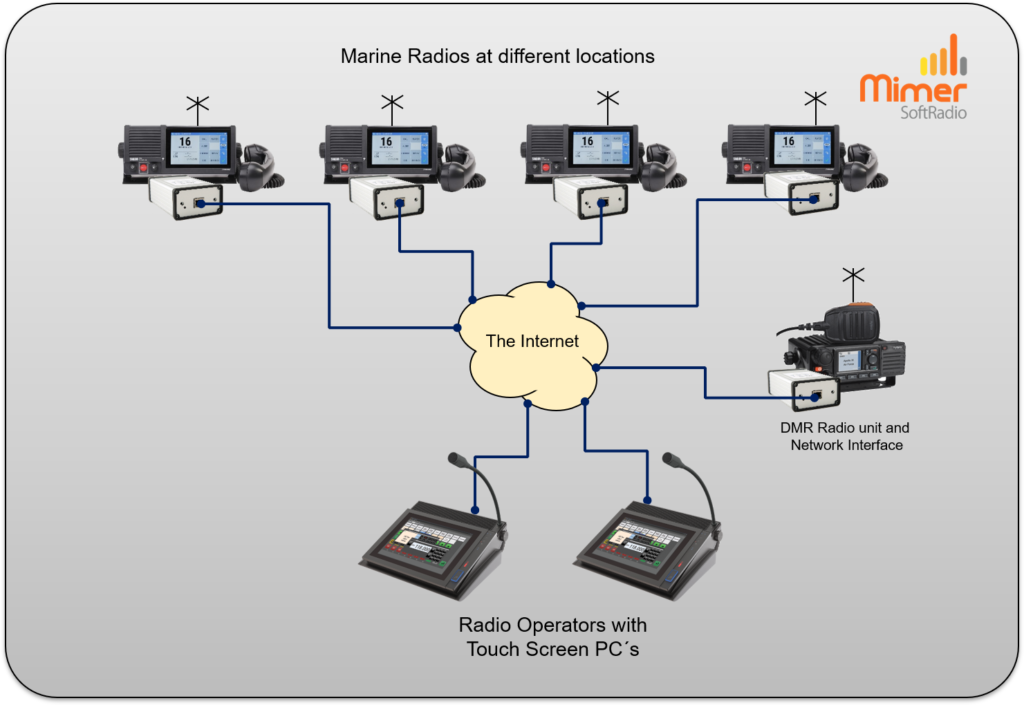
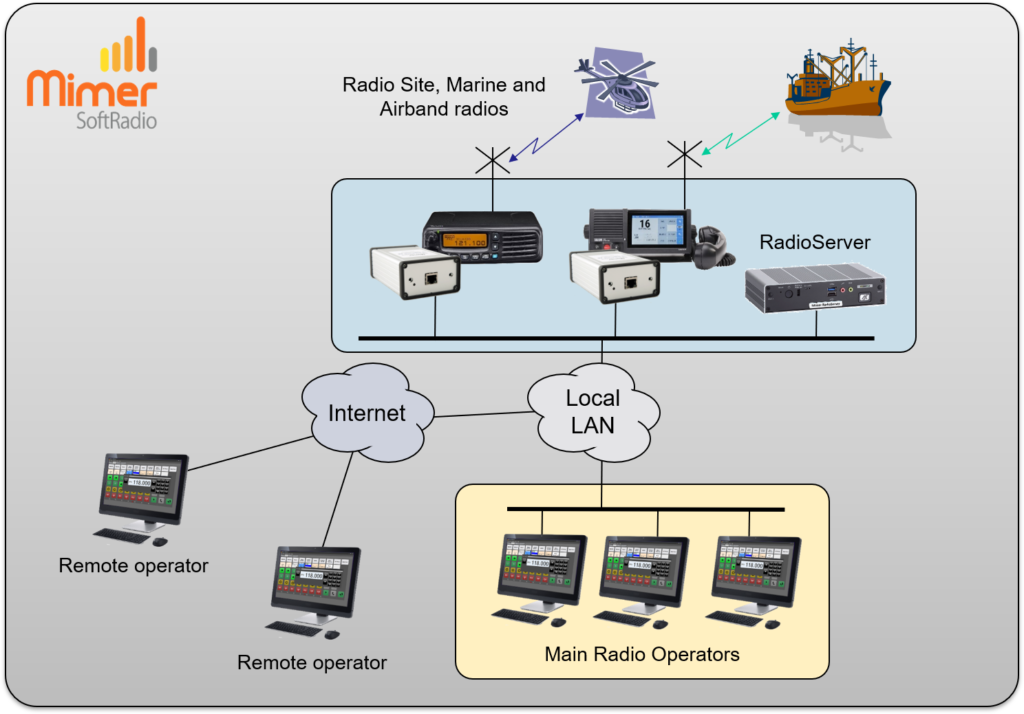
Each radio can be remote controlled from many operators, and every operator can control many radios. And as always, you can mix radio types and add phone calls, voice recording etc.

For other types of Sailor radios, please see this page.

Network Interface: Suitable Network Interface is 3009/70 with cable kit 3092.
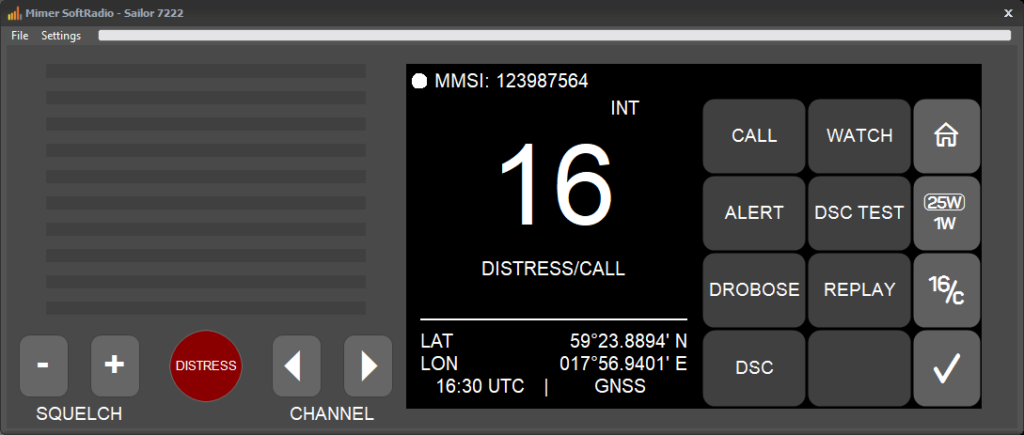
Sailor-7222-4-1024x435

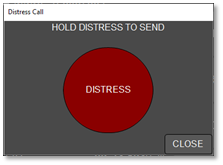
Distress Key

Since there is no lid over the Distress key on a touch screen, we have instead made a popup window.

There you have the Distress key, that needs to be pressed and held in order to send the call. For dispatchers that shall never be able to send a Distress, the key can also be hidden.
Sailor-Distress

The Virtual Control Head Functions

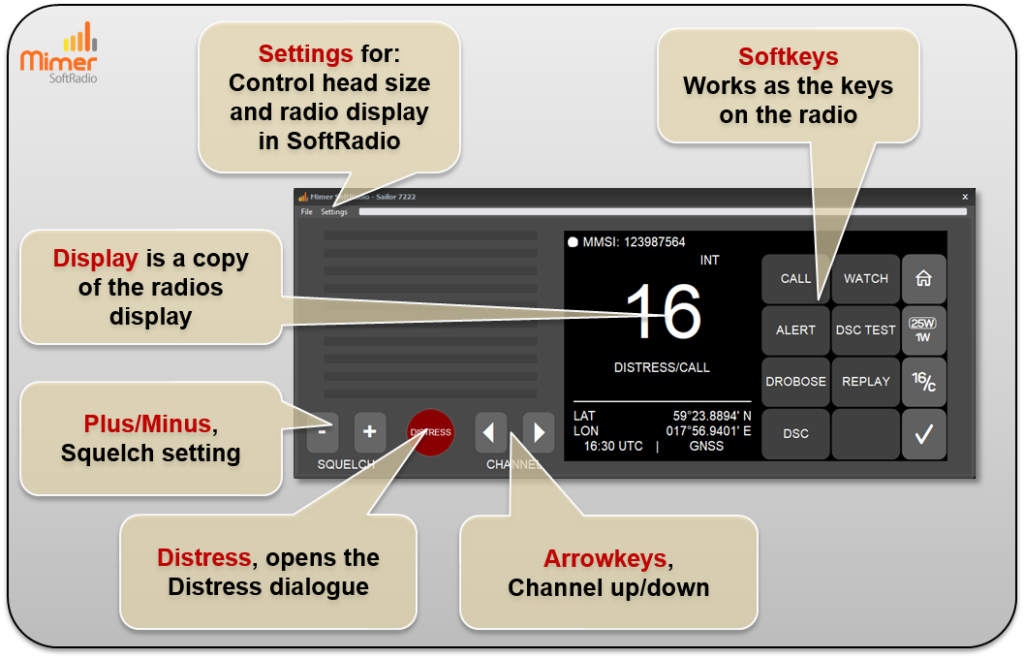
The Virtual Control Head gives the operator full access to the main functions of the radio directly on the screen. The display mirrors the radio’s own interface so the user can easily view channel information and status. Softkeys work like the physical buttons on the radio and let the operator control calls and settings. The plus and minus buttons adjust the squelch level, while the arrow keys change channels up or down. A dedicated distress button opens the distress dialogue quickly when needed. Through the settings menu, the user can adjust the control head size and choose how the radio display should appear in SoftRadio.
VCH-Sailor7222-1024x658

Examples of use:

  Local use when several dispatchers want to share one radio
 Remote use where a dispatcher at one location want to talk to radio users at a different location
 Remote use where a dispatcher would like to connect to many radios at different sites
 CrossPatch between Marine radio channels and other two-way radios, like analogue, IDAS, DMR, Tetra or PoC

System Examples:

620BOne radio controlled local or remote from one
operator PC

623-1024x705Two operators working with four remote marine radios and one DMR radio

622-1024x714Operators at different sites working with different types of radios