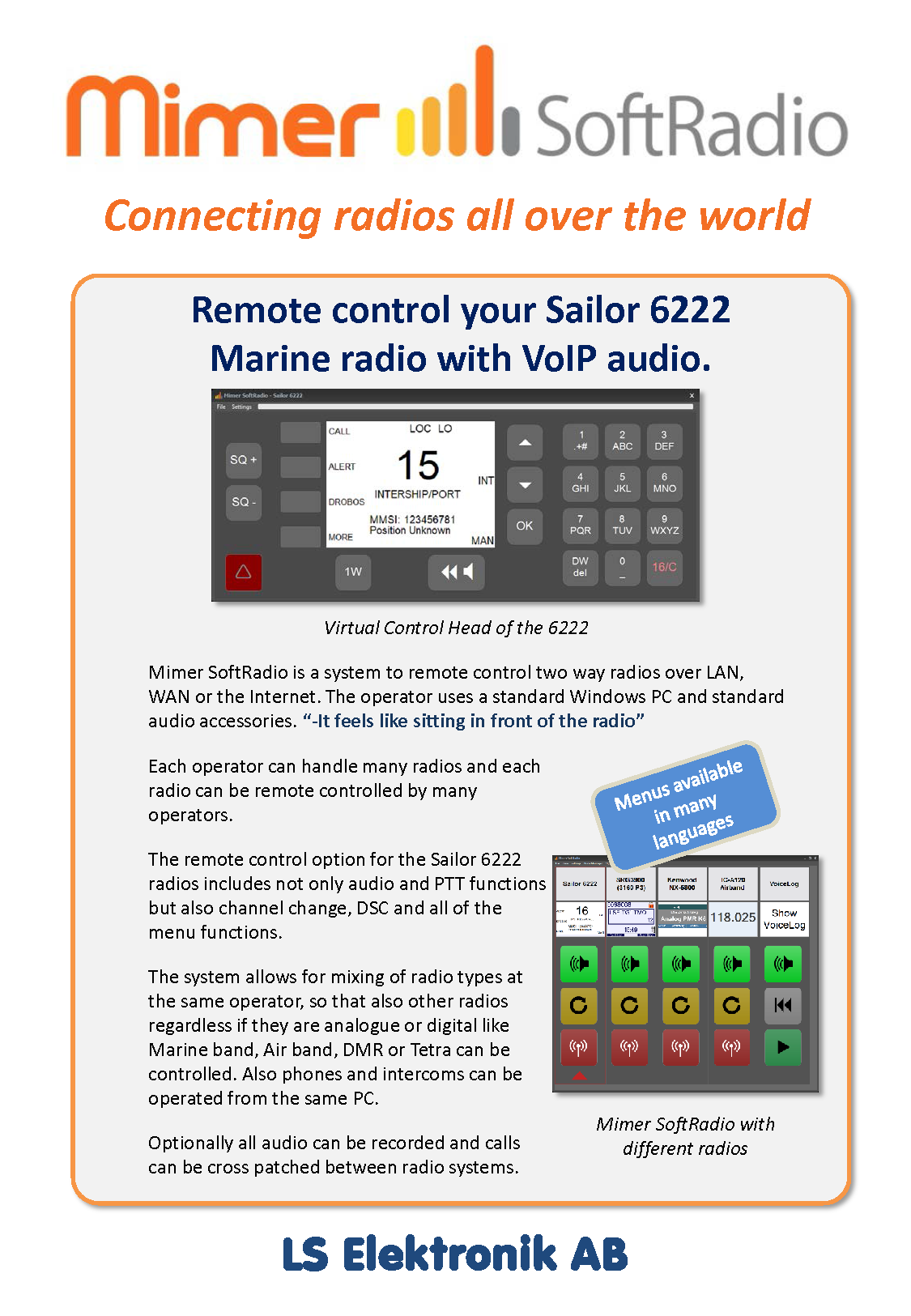
The system gives remote capability of audio and PTT. It also gives a full virtual control head with all the radios functions.
Both the keyboard and the display are replicated on the Virtual Control Head. This means that all functions in the radio can be accessed remotely.
On the 6222 also the built in DSC signalling is remote controlled from the same Virtual Control Head.
The 6248 radio is not equipped with built in DSC functions. For DSC with the 6248, use Mimer MarineCalls.
The radio can simultaneously be used as a standard radio with its control head, microphone and speaker.
As an alternative the universal interface can be used. This will only give remote capabilities of audio and PTT.
For other types of Sailor radios, please see this page.
Network Interface: Suitable Network Interface is 3009/56 with cable kit 3092.
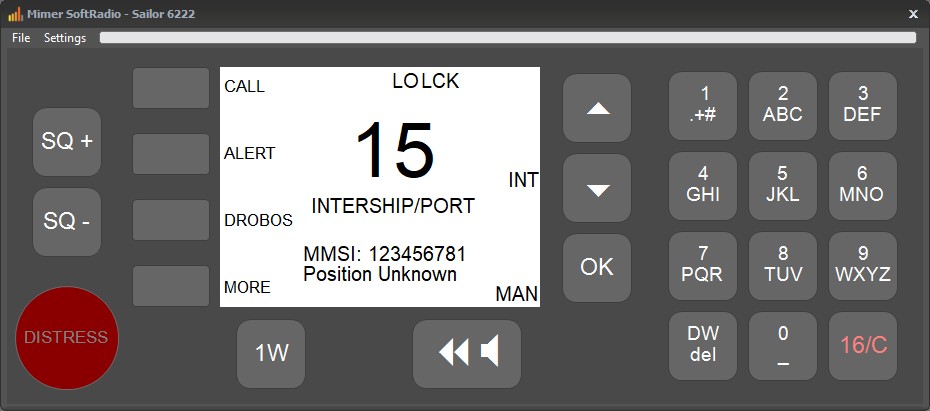
VCH for the Sailor 6222/6248
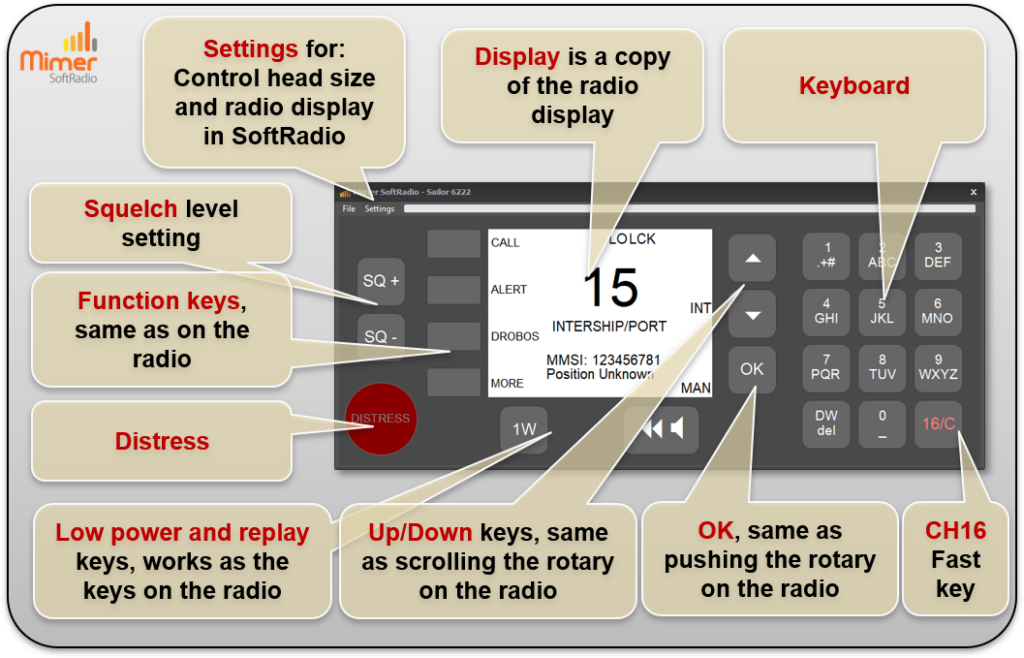
The Virtual Control Head gives the operator access to the main functions of the Sailor 6222 and 6248 radios directly on the screen. The display is a copy of the radio’s own display, allowing the user to easily view channel information, status, and operating data in a familiar layout. Function keys work in the same way as the physical keys on the radio and are used to control calls and settings.
The plus and minus buttons are used to adjust the squelch level, while the up and down keys operate channel selection in the same way as scrolling the rotary control on the radio. An OK key is provided, corresponding to pressing the rotary knob on the radio, enabling menu navigation and confirmation. A numeric keyboard allows direct entry of channels and values, including a dedicated CH16 fast key for quick access.
A dedicated distress button opens the distress dialogue when required. Through the settings menu, the operator can adjust the control head size and choose how the radio display is presented in SoftRadio.
System Examples
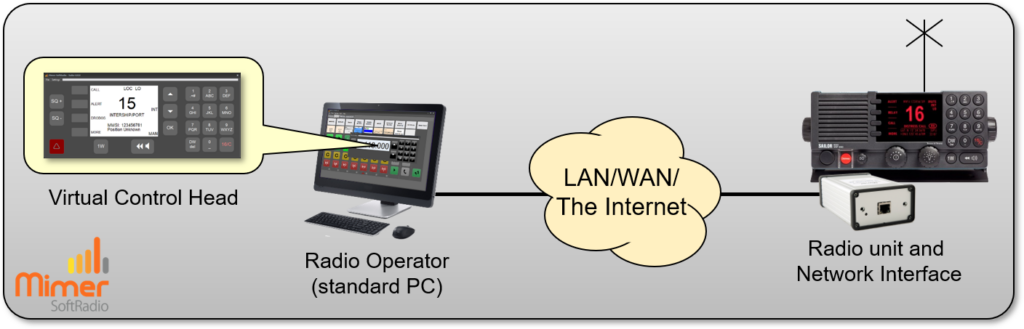
One radio controlled local or remote from one operator PC.
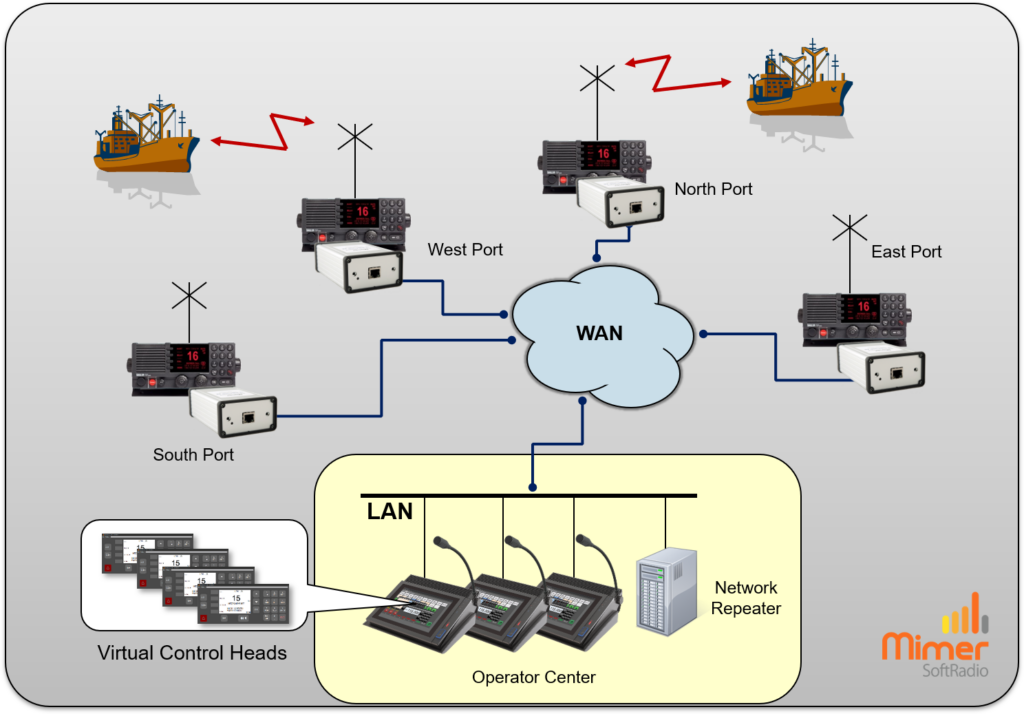
Three operators working with four remote radios.
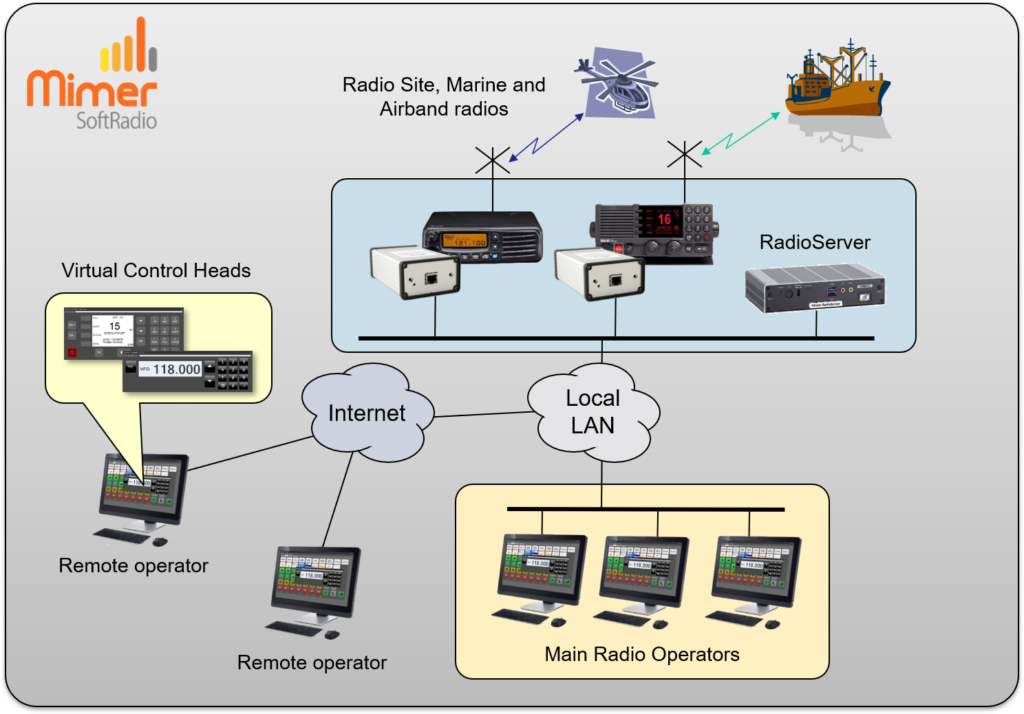
Operators at different sites working with different types of radios.