<img src="https://www.inventive-7-intuition.com/807131.png" style="display:none;">
 
Company Logo
image-png-Mar-11-2026-10-10-17-6826-AM


Mimer SoftLine Manager Server

Technical description and set-up instructions

Art n:o
3319
Revision
C
Release date
Jan 15, 2025

A Mimer SoftRadio system can be configured in many ways. This paper describes the basics of setting up a Mimer SoftLine Manager Server. Please also refer to the standard setup instructions for SoftRadio and to the information provided on the web pages. www.lse.se www.lse.se/info-server 

Alternative hardware

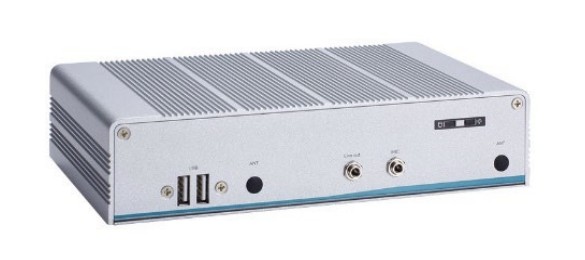
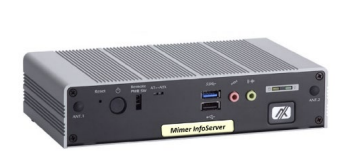
The front page picture shows the standard hardware delivered. Varying delivery times has given the need to also have an alternative hardware, shown in the picture below. The two boxes have very similar performance, it is mainly the exterior and the connectors that are different.

Alternative hardware

General

Mimer SoftLine Manager Server is a component in the Mimer SoftLine family of products for connecting radios and operators without using a PC at the operator.

The SoftLine Manager Server will forward any transmissions it receives from its connected clients to all other clients that are configured in the server to listen to that client.

A client can in this case be either a network interface connected to a radio unit, a network interface connected to a microphone and speaker (operator) or for example a network interface connected to a PA system. 

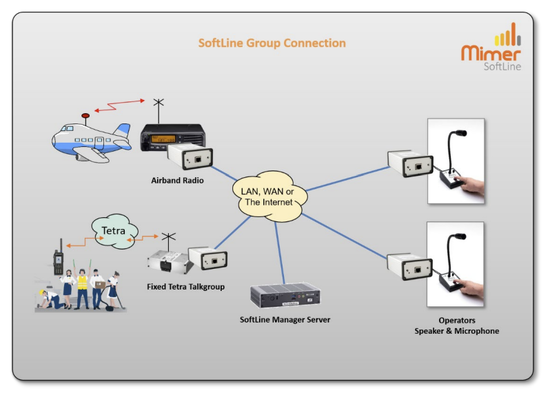
Example with two radios and two operator microphones connected together so that all can listen to each other.


3

The SoftLine Manager Server 

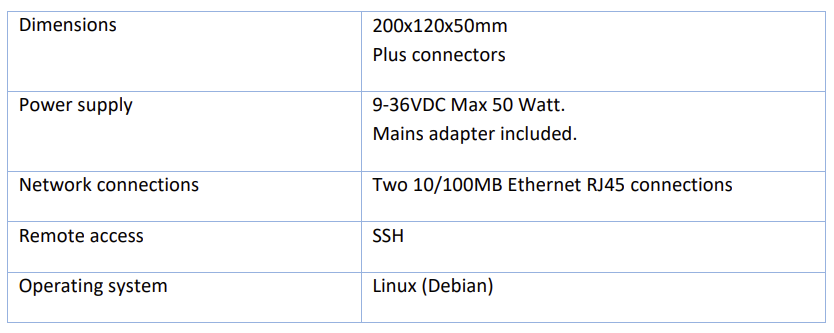
The server is based on a rugged industrial x86 PC that runs a Debian based Linux operating system. 

Connecting to the SoftLine Manager Server 

As a standard Linux system, the SoftLine Manager Server can be accessed with a standard SSH connection, using software such as Putty. The configuration file can also be accessed and edited with any file manager software that supports SFTP, such as WinSCP.

You connect using the credentials that were provided in the “Important information” document delivered together with the server.

The server is delivered with the default IP configuration as follows:

On the network port labelled eth0:

Address: 192.168.0.26

Netmask: 255.255.255.0

Gateway: 192.168.0.1

On the network port labelled eth1: DHCP 

Verifying the status of the SoftLine Manager Server 

The current status of the SoftLine Server service running on the Manager Server is always available using “systemctl” commands. To check the current status, use the following command: systemctl status softlineserver.service

To start/stop/restart the server you can use the same “systemctl” tool and simply replace the word status with start, stop, or restart.

The current status of which clients are connected and what transmissions are currently being forwarded to which clients, is always logged to the system log using “journald”. These logs can be viewed using the command: journalctl -u softlineserver.service

To follow the ongoing operation of the service, you can add the -f flag: journalctl -f -u softlineserver.service Note that the journal daemon is configured to only store logs in RAM so they will disappear if the whole system is restarted. 
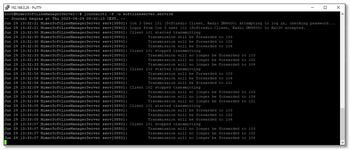
Example of the log being displayed in PuTTY as two clients talk with the default configuration

 

4

Settings of the server 

For general settings such as IP of the server, please refer to the standard settings for a Debian 11.5 system.

The IP address for the network ports on the server for example is configured in /etc/network/interfaces All the settings specific for the SoftLine Service running on the server are configured in the following config file: /etc/mimer/softline.conf

The server will be delivered preconfigured to match the SoftLine Client Network Interfaces it is delivered with. All settings are still described below if changes are requested, or if more interfaces are added later.

Note that if you change these settings (or the IP address of the SoftLine Manager Server) then you will also need to update the settings in the SoftLine network interfaces to match it. 

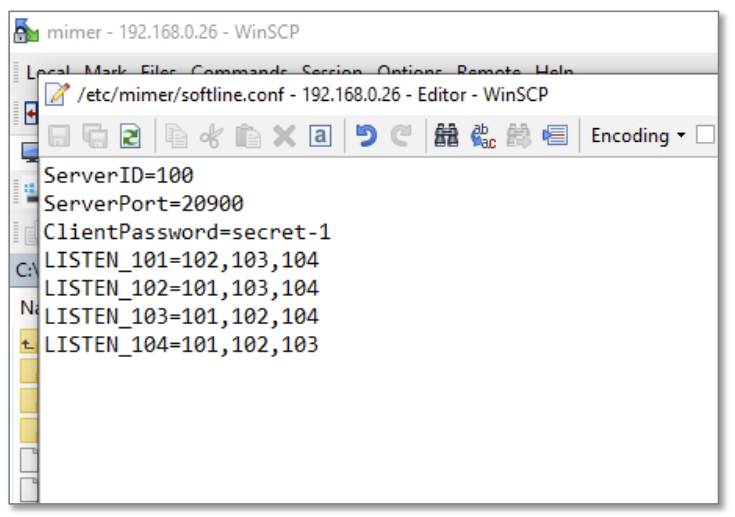
Example of the default softline.conf file viewed in WinSCP 


General server settings in the configuration file 

Settings are specified as one value per line.

ServerID specifies the Mimer ID of the server which the clients are configured to connect to. Default value is: ServerID=100

ServerPort specifies the TCP port of the Server that the clients will connect to. Default value is: ServerPort=20900

ClientPassword is the password which clients use to connect to the server. Default value is: ClientPassword=secret-1 

5

Configuring the transmission forwarding in the configuration file 

For each client a value lists all the Mimer IDs of other clients which it should receive transmissions from. The configuration format is LISTEN_= For example, the configuration: LISTEN_101=102,103

Will result in any transmissions received from clients 102 or 103 being forwarded to the client 101.

The default configuration is as follows:

LISTEN_101=102,103,104

LISTEN_102=101,103,104

LISTEN_103=101,102,104

LISTEN_104=101,102,103

With this configuration, all the client’s 101 through 104 will receive all transmissions from all of the other clients 101 through 104. 

Setting up the network interface and radio 

The network interfaces connected to the server must also be configured in order to have the correct IP and ID. This is described in the standard SoftLine manual, found on www.lse.se/setup.

In many cases there are also settings needed in the radio that is connected to the network interface. Instructions for this can be found in the guides sorted by the cable kit number. (Cable kit between network interface and radio unit). These are found here: www.lse.se/cables. 

Mimer SoftLine Manager Server summary 

Power failure 

If power is lost to the SoftLine Manager Server no damage will be done. There are no files that needs to be saved before shut down. When power is restored the SoftLine Manager Server will automatically boot up in about 1-2 minutes. 


6
 
Mimer SoftRadio

Proudly made in Sweden

Connect Your Radios.
Anywhere. Over Any Network


Contact

LS Electronics AB

www.lse.se/contact-sales

info@lse.se