Open Rack Shelf
Technical description and set-up instructions
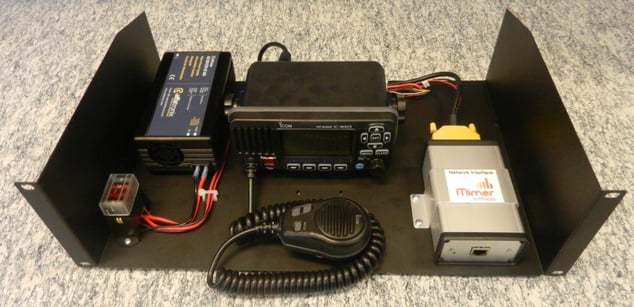
This paper describes the Open Rack Shelf available for your SoftRadio systems. The Open Rack Shelf holds the Network Interface, the radio unit, a PSU and fuses.


Technical description and set-up instructions
This paper describes the Open Rack Shelf available for your SoftRadio systems. The Open Rack Shelf holds the Network Interface, the radio unit, a PSU and fuses.
The Mimer SoftRadio system consists of software that runs on Windows PC’s. The software works together with one or more Network Interfaces that are connected to two-way radio units. One Network Interface is needed for each radio unit.
The purpose is to remotely control the two-way radio from the PC over a LAN, WAN or the Internet. In this way several operator PC’s can share one radio and every operator can control several radios.

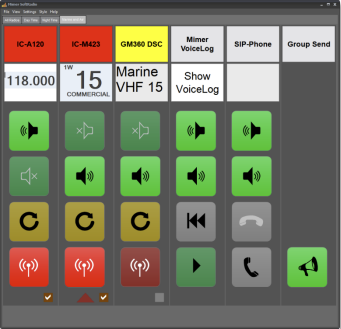
Example of SoftRadio operator GUI.
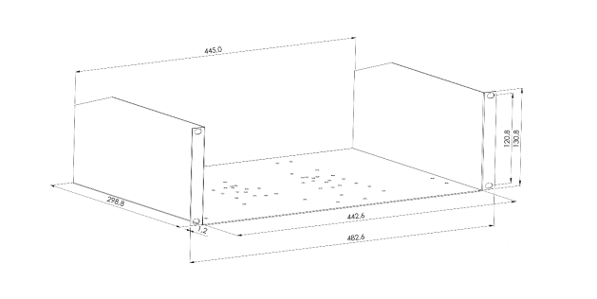
The Open Rack Shelf is a standard 19” 3U shelf. The detailed mechanics are described further down.
Network Interface
Type of Network Interface is delivered depending on the radio type that will be installed in the rack unit.
Together with the Network Interface a cable kit is also installed to fit between the radio and the interface.
The network Interface and the cable kit is not included in the price of the rack unit.
Radio Unit
Most types of radios fit on the rack shelf. The radio can be delivered by LSE together with the rack shelf, or it can be added by the installation company.
The radio is not included in the price of the rack unit.
Power Supply Unit
A power supply unit from Alfatronix, AD108, is included in the rack unit. This PSU will give 7,5A @ 13,6VDC, enough to supply both the radio and the network interface.
The rack shelf can also be ordered without the PSU if it shall be installed where there already are DC power available.
Fuses
A fuse box with standard automotive blade fuses is placed in front of the PSU inside the rack unit.

On the front side the IP connector is accessible directly on the network interface.
In many cases the radios front panel can be accessed from the front of the shelf.

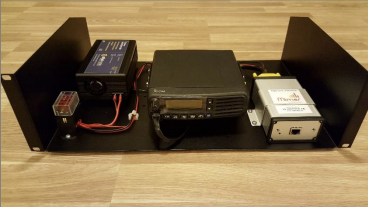
Icom radio installed on the open rack shelf
On the back side there is access to the PSU´s AC power connector and in most cases the radios antenna connector
Power connection
The power connector is a standard IEC connector and “any” computer power cable will fit. A cable with standard European plug is delivered with the rack unit.
The PSU auto selects between 115VAC (85-135) and 230VAC (170-265), 47-440Hz.
Antenna connection
Most radio units are installed so that the antenna connector points backwards on the shelf. However, some radios, like the Sepura, are better installed with all its connectors to the front, and then also the antenna connector points forward.
Type of antenna connector depends on the radio type.

Proudly made in Sweden